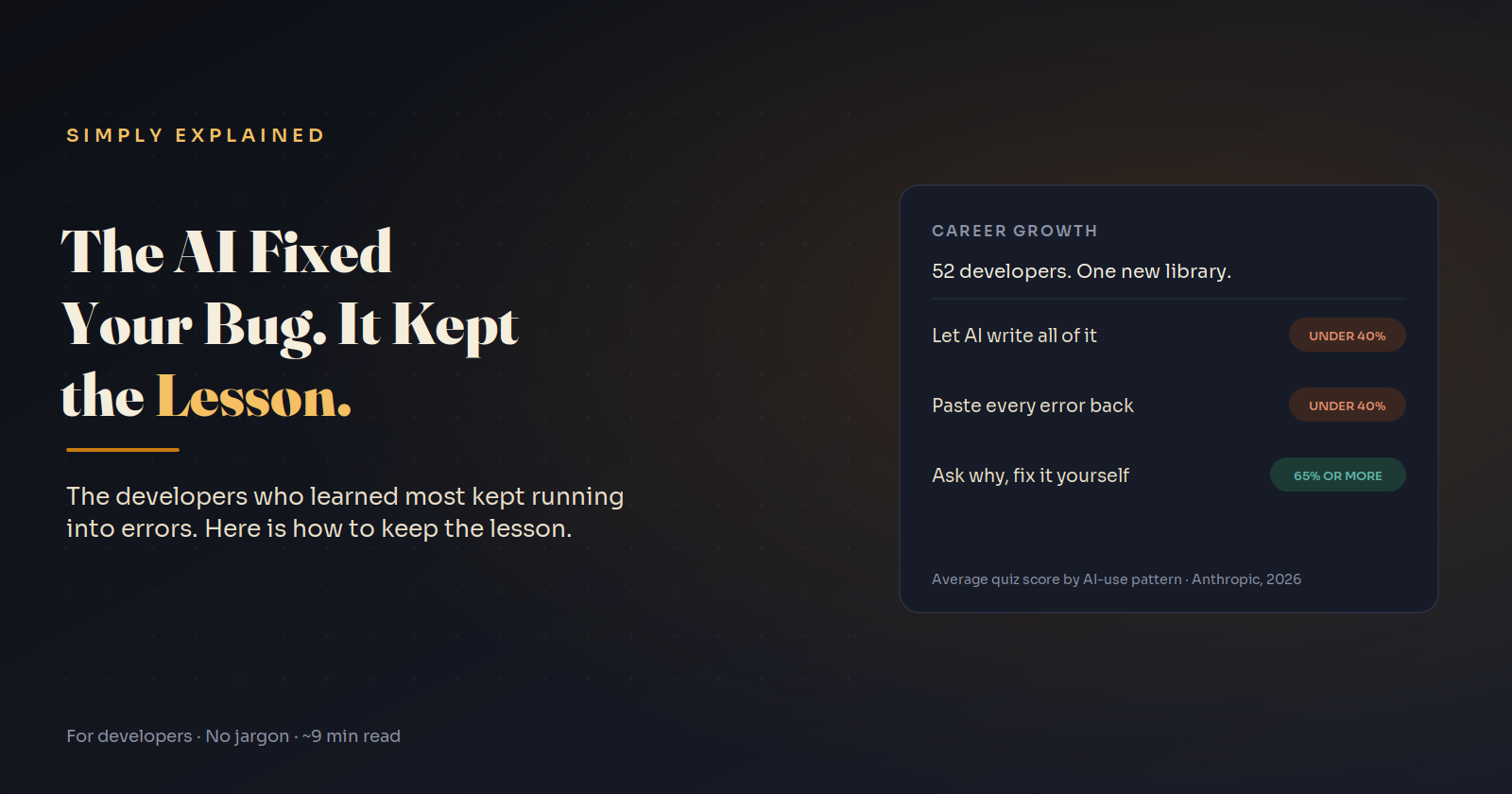
How to Use AI for Debugging Without Losing Your Debugging Skills
A randomized study found the developers who learned most kept running into errors. Here is the habit that keeps the lesson and the speed.
This code runs, exits with status 0, prints a success message, and never sends the email:
import asyncio

async def send_welcome_email(user):
    await asyncio.sleep(0.1)  # stands in for your email provider
    print("email sent")

async def main():
    user = {"id": 42}
    send_welcome_email(user)   # missing await
    print("signup complete")

asyncio.run(main())
signup complete
The only evidence is a RuntimeWarning: coroutine 'send_welcome_email' was never awaited on stderr. No exception, no failed request. A test that only checks the response passes.
Here is the uncomfortable part: if you are used to pasting errors into an AI, this bug gives you nothing to paste. Whether you catch it depends entirely on whether you already understand one rule about async Python. And a 2026 randomized trial suggests the way most of us use AI while debugging is exactly what stops that rule from sticking.
The error that teaches, and the one that doesn't
You usually meet the rule for the first time through a louder version of the same bug:
async def fetch_user(user_id):
    await asyncio.sleep(0.1)  # stands in for a network call
    return {"id": user_id, "email": "ana@example.com"}

async def main():
    user = fetch_user(42)
    print(user["email"])
TypeError: 'coroutine' object is not subscriptable
RuntimeWarning: coroutine 'fetch_user' was never awaited
Paste that into any AI assistant and you will get the right answer instantly: add await.
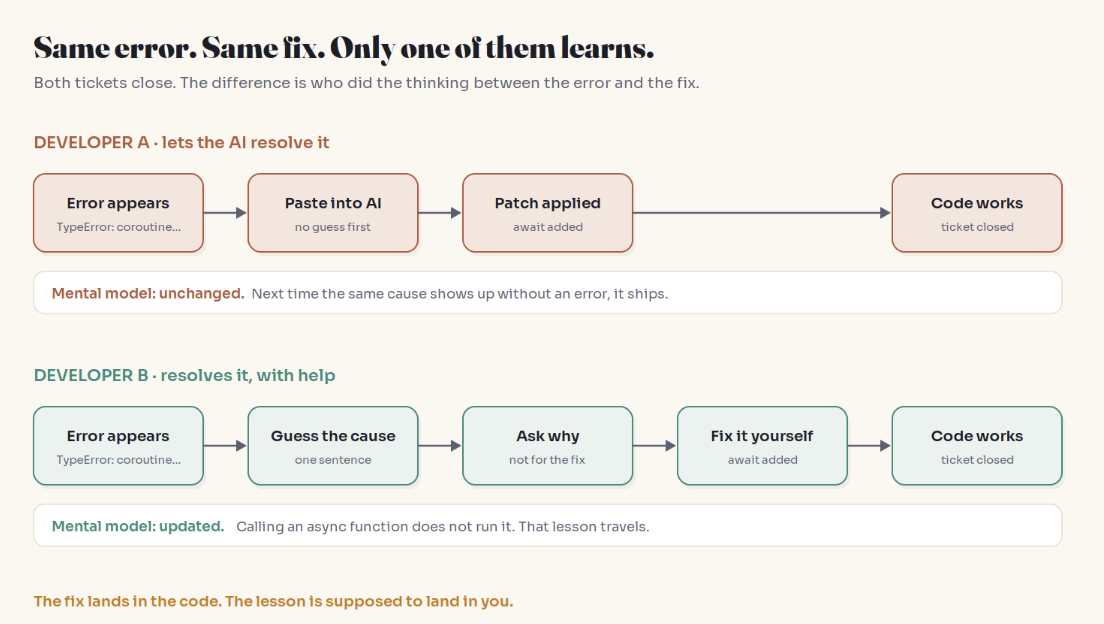
What you will not get, unless you ask, is the rule underneath it: calling an async function does not run it. It creates a coroutine, a paused piece of work that runs only when something awaits it or schedules it. Learn that once and the silent email bug looks wrong at a glance in code review. Skip it and you fix the loud bug while staying blind to the quiet one.
What the Anthropic study actually found
In January 2026, Anthropic researchers Judy Hanwen Shen and Alex Tamkin published a randomized controlled trial with 52 developers, mostly junior, each using Python weekly for over a year. Everyone learned Trio, an async Python library none of them had used. Half had an AI assistant that could generate correct code on request; half coded by hand. Then all of them took a quiz without AI.
Quiz scores: 50% for the AI group, 67% for the hand-coding group.
Speed: the AI group finished about two minutes faster, a difference that was not statistically significant.
Biggest gap: debugging questions.
Errors: the hand-coding group hit more errors. The authors' hypothesis is that resolving them independently is what built the debugging skill.
The most useful part is the breakdown of how AI users worked:
| Interaction pattern | What they did | Avg quiz score |
|---|---|---|
| AI delegation | AI wrote everything; fastest, few or no errors | under 40% |
| Progressive reliance | Started alone, handed over midway | under 40% |
| Iterative AI debugging | Asked the AI to fix each error; more questions, slower | under 40% |
| Generation, then comprehension | Took generated code, then asked how it works | 65% or higher |
| Hybrid code and explanation | Asked for code plus the reasoning | 65% or higher |
| Conceptual inquiry | Asked only conceptual questions; hit many errors, fixed them alone | 65% or higher |
Conceptual inquiry was also the fastest high-scoring pattern and second fastest overall.
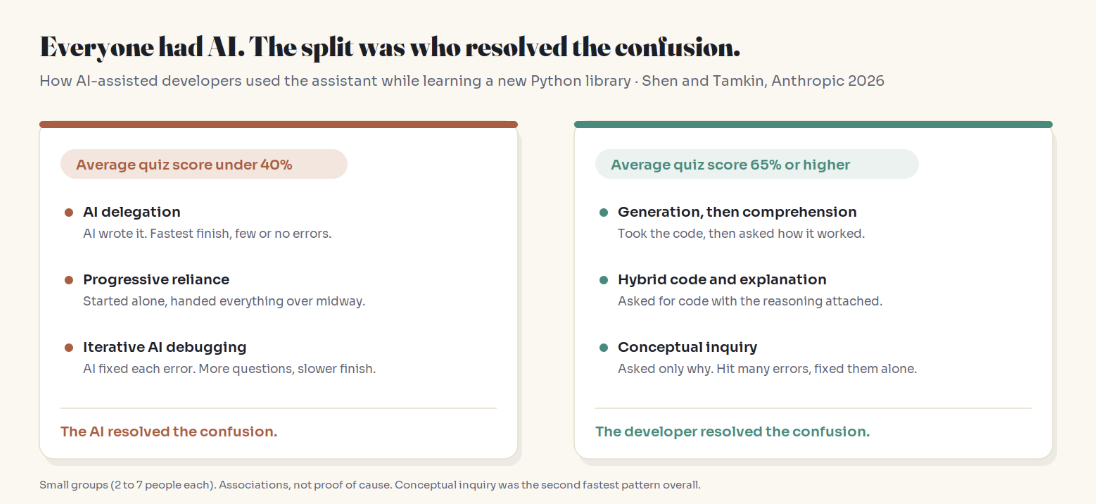
Limits worth stating: each pattern group had only 2 to 7 people, the quiz came right after the task, and the authors say the patterns are associations, not causes. They also note that agentic tools, which write, run, and fix code on their own, are likely to have stronger effects than the sidebar chat they tested.
Why errors carry the lesson
Treat every line of code as a prediction about how the system behaves. An error is that prediction failing, with a line number attached. Resolving it yourself means noticing the mismatch, forming a hypothesis, and testing it. That loop is what updates your mental model. When the AI runs the loop for you, the code changes and your model does not.
This lines up with education research on productive failure (Manu Kapur): struggling with a problem before seeing the solution tends to produce deeper conceptual understanding. It also lines up with a large PNAS study of nearly 1,000 high school math students in Turkey. Students given a standard GPT-4 interface scored 48% higher on practice, but 17% lower than a no-AI control on a later exam without AI. A tutor version built to give hints instead of answers improved practice even more and largely removed that harm.
The fix lands in the code. The lesson is supposed to land in you.
The Error Ladder: a debugging workflow that keeps the learning
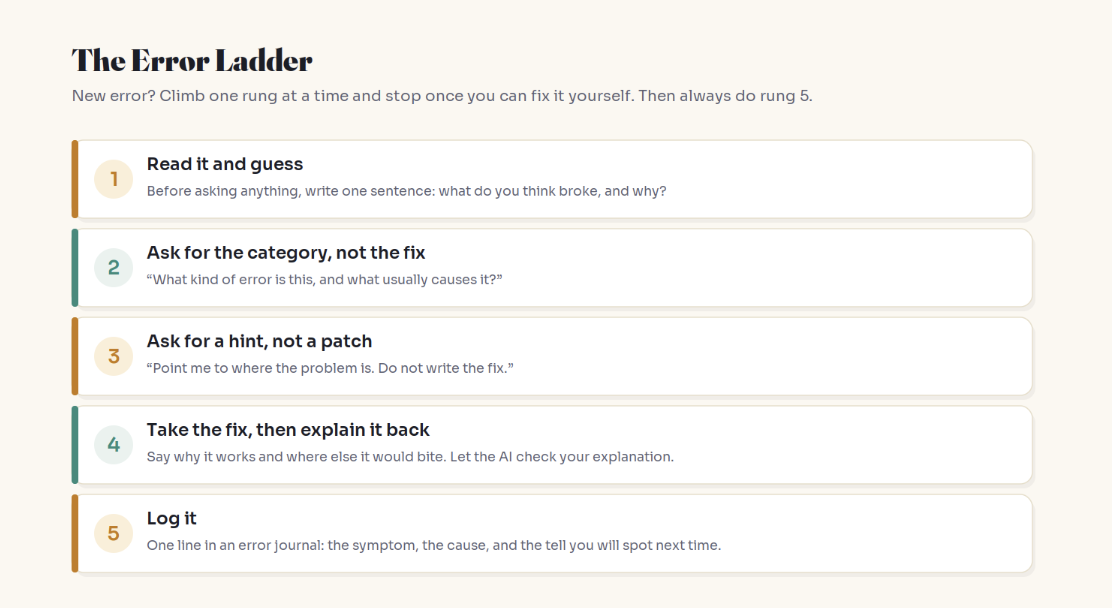
For any error class you have not seen before, climb one rung at a time and stop as soon as you can fix it yourself.
1. Read it and guess. Write one sentence in a scratch file before asking anything: what broke, and why? A wrong guess is useful. It pinpoints the belief that needs updating.
2. Ask for the category, not the fix.
What kind of error is this, and what usually causes it?
Explain the concept. Don't change my code.
3. Ask for a hint, not a patch.
Point me to the line or concept where the problem is.
Don't write the fix.
4. Take the fix, then explain it back. When time is short, accept the patch, then:
Here is my explanation of why this fix works: <your words>.
What did I get wrong? Where else in a codebase could the same cause show up?
In the study, this "generation, then comprehension" pattern looked nearly identical to plain delegation. The one difference, using the AI to check understanding, separated a failing average from a strong one.
5. Log it. One line per error class: symptom, cause, and the tell, the small sign you will notice next time. The tell is what catches the silent version that never throws.
First or repeat? When to just let AI fix it
The ladder is for firsts. Anthropic's earlier observational research found AI can cut time on some tasks by up to 80% where people already had the skills, and the study's authors suggest AI may speed up skills you have while slowing down ones you are building.
| Situation | What to do |
|---|---|
| Error class you could not explain to a colleague | Climb the ladder |
| Typo, missing import, an error you have fixed many times | Let the AI fix it |
| Production incident | Take the fix now; do rungs 4 and 5 once things are calm |
For team leads: tickets closed mostly measures repeats. A better growth signal is whether a developer can answer, "What broke for you this week, and what was the cause?"
Key Takeaways
In a 2026 randomized trial, developers learning a new library with AI scored 50% vs 67% without it, with the biggest gap in debugging.
The high scorers still used AI. They used it for explanations and conceptual questions, and resolved errors themselves.
Pasting each error back to the AI was associated with low scores, even though those developers asked more questions.
An error is a failed prediction. Resolving it yourself is what updates your mental model.
Use the Error Ladder for firsts, delegate repeats, and log the tell so you catch the silent version.
FAQ
Does using AI to debug make you a worse programmer?
Not automatically. In Anthropic's 2026 trial, developers who had AI fix their errors scored lower on understanding, but developers who used AI for explanations and conceptual questions scored 65% or higher. How you ask matters more than whether you ask.
What did Anthropic's AI coding skills study find?
Fifty-two mostly junior developers learned the Trio library with or without AI. The AI group averaged 50% on a follow-up quiz versus 67% for hand coders, finished only about two minutes faster (not significant), and showed the largest gap on debugging questions.
How should junior developers use AI for debugging?
Guess the cause first, then ask the AI what category of error it is, then ask for a hint rather than a fix. If you take a full fix, explain it back in your own words and ask the AI to correct you. Log each new error class.
Why is debugging the skill most affected by AI?
Debugging skill comes from resolving errors yourself: noticing a mismatch, forming a hypothesis, testing it. When the AI resolves the error, that loop never runs in your head. In the study, the no-AI group hit more errors, and the authors think resolving them built the skill.
When is it fine to let AI fix the error for me?
When it is a repeat: an error class you already understand, like a typo, a missing import, or a familiar config error. You have already learned that lesson, so delegating it just saves time.
Do AI study modes or learning modes help?
The evidence points that way. In a PNAS study of high school math students, a GPT-4 tutor that gave hints instead of answers largely removed the learning harm seen with a standard chat interface. Anthropic's authors also point to learning-oriented modes in AI tools.
Related reading
The bottom line
A fix is worth one ticket. A lesson is worth every future bug with the same cause, including the ones that never throw. Before you hand your next unfamiliar error to the AI, give it one sentence of your own.
Delegate your repeats. Struggle with your firsts.
Adam Jaber is a software engineer who writes Simply Explained: complex topics, made simple. No jargon, no hype.